Extrua Dispatch · Pest control software · Pest control app
Set the treatment once. It comes back.Pest control software that rebooks the yearly treatment for you.
Extrua Dispatch is pest control business software, with a pest control app for your technicians. Pest control scheduling is set once: each customer’s treatment, every 3, 6 or 12 months, keeps coming back. Your technicians carry the chemicals and safety data sheets on their phones, and the app works under the house with no signal.
- No card to start
- Your first user is free for 14 days
- Month to month. Cancel any time.
Then from A$39 a user a month at our founding price for the first 300 users (A$53 after that).
Day 14 with no card, your workspace pauses and your data is kept.
 Built by Steve, who runs his own service business on it every day.
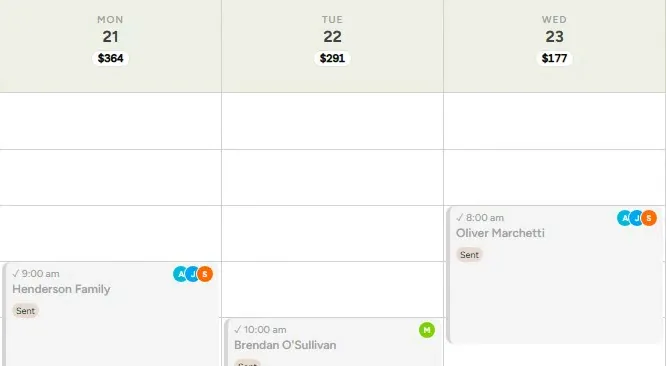
Built running the founder's own cleaning business, every day. It gives the founder back over 20 hours a week to work on the business, not in it.
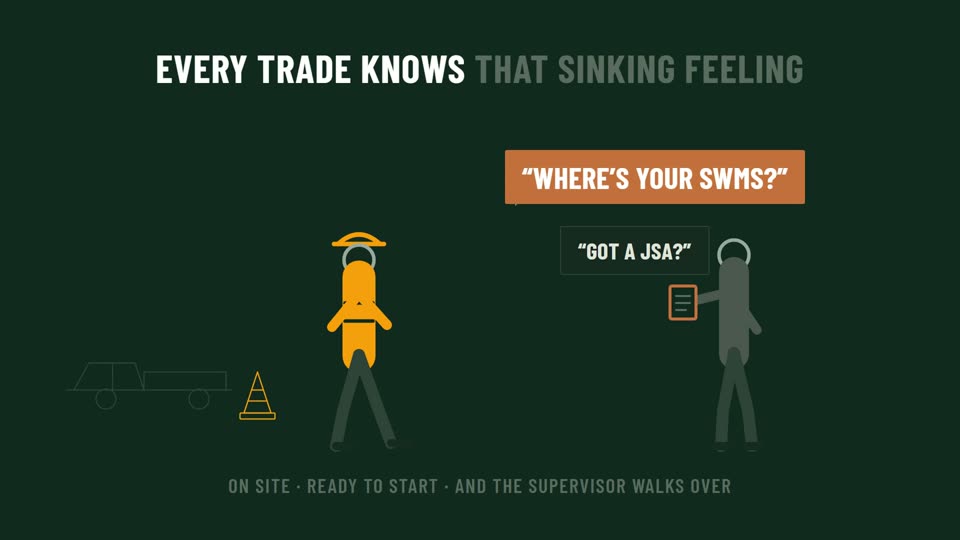
No more glovebox paperwork
Site-ready paperwork in your pocket
Signed SWMS on every phone, per-job JSAs that lock once signed, and crew licences tracked to expiry. Free on every plan.
No more glovebox paperwork
Site-ready paperwork in your pocket
Signed SWMS on every phone, per-job JSAs that lock once signed, and crew licences tracked to expiry. Free on every plan.
“Half my work is last year’s customers, and I chase every one”
Set the treatment once. It comes back on its own.
As pest control scheduling software, Dispatch starts with the repeat work. The yearly general pest, the quarterly commercial kitchen, the six-monthly spider spray: each is set on the customer once, every 3, 6 or 12 months. The first booking covers about a year and the schedule keeps topping it up, so last year’s customers come back without you ringing around.
The chemicals and their paperwork, on every technician's phone
No folder in the ute, no ringing the office from under a house. What each product is for, how to mix it and what to wear, with its safety data sheet a tap away.
The Products page, on the phone
For each product: what it's for, the dilution, how long to leave it, what to wear and the safety note. It's kept on the phone, so it's there under a house with no signal.
Safety data sheets, one tap away
Link each product's safety data sheet once, and every technician can open it from the job.
The hazardous chemicals register
Every hazardous product and where it's stored, with a flag on any sheet that's missing or more than five years old. Print it when someone asks to see it.
Watch it work · about a minute each
Your customers across in an afternoon, your safety paperwork on every phone
The first shows your customers moving across from a spreadsheet and their regular treatments set on the schedule. The second shows the safety suite: SWMS, on-site JSAs and licences, on your technicians' phones, free on every plan.

No weeks of re-typing
Move your business across in an afternoon
Bring your clients across from a spreadsheet, set your regular jobs, invite the team. Your money history comes with you.
No more glovebox paperwork
Site-ready paperwork in your pocket
Signed SWMS on every phone, per-job JSAs that lock once signed, and crew licences tracked to expiry. Free on every plan.
Captions are on, so they work on mute. Want to click around yourself? Open the live demo.
Built for the roof void, the side passage and the dead spot
Pest work happens under houses, behind locked gates and out of range. The crew app is built for that.
- Rebooking
- The yearly treatment, the quarterly commercial service and the six-monthly spider spray are set once. The first booking covers about a year and the schedule keeps topping it up.
- No signal
- Clock-on, the checklist and the job details keep working under the house or out of range, and everything syncs when the phone finds signal again.
- Locked gate
- “Couldn't get in?” on the visit: the technician says what they tried and the office is emailed. It works with no signal too. Nothing goes to the customer; you decide what happens next.
- Gate codes
- Kept in sealed access notes. A technician sees them only on the day of a visit they're on, and every opening is recorded.
- Proof photos
- A checklist item can need its own photo, so the visit can't be finished until it's taken or marked as couldn't-do, with why.
- SWMS and JSAs
- The safety suite is free on every plan: SWMS signed on each technician's phone, an on-site JSA on the jobs that need one, and licences kept with their expiry dates.
- Billing
- Invoice each treatment as it's done, or one invoice per customer each week, fortnight or four weeks, sent to Xero with the payment status coming back.
One price for each person on the app
Pay for the technicians and office staff who use the app. Customers and treatments cost nothing to add.
Starter
Founding price · A$53 after the first 300 users
Treatments that rebook themselves, the dispatch board, the offline crew app with GPS clock-on, invoicing into Xero, and job costing and profit reports. The safety suite is included.
Growth
Founding price · A$57 after the first 300 users
Everything in Starter, plus the AI chat widget for your website, in-app AI and lead-source reports.
Pro
Founding price · A$69 after the first 300 users
Everything in Growth, plus text reminders and two-way SMS from a dedicated business number (set up after your first payment), and the AI voice agent (calls, texts and the number charged on top, as usage).
Field staff login, on any plan · the staff app only: jobs, clock-on, photos and checklists
$25 Standard price $36 AUD / user · mo · A$36 after the first 300 users
What a crew costs: You in the office and three on the tools is A$114 a month on Starter (A$39 + 3 × A$25), at our founding prices for the first 300 users.
Free for 14 days for your first user, then from A$39 a user a month at our founding price for the first 300 users (A$53 after that).
The free trial covers one user: you. To add another user you add a card first, and every extra user is billed at your plan's price from the day you add them, pro-rata for the rest of the trial. No card to start. Add one before day 14 and the trial turns into your chosen plan, with your first payment taken then. If you don't, your workspace pauses and everything in it is kept. We’ll email you before it ends, and your dashboard shows how many days are left. No GST is charged.
Not included in the free trial:
- Extra users: only the first user is free; each extra user is billed from the day you add them.
- A phone number: the AI voice receptionist and texting from your own number start after your first payment.
- The Phone & SMS pack can't be added until the trial has turned into a paid plan.
- Lower sending limits during the trial: up to 150 customer emails and 40 texts a day.
- “Done for you” set-up or a website build: a separate one-off, quoted on its own.
- Am I locked in?
- No contract. Cancel from your account settings and your subscription ends at the end of the billing period, with no exit fees.
- Can I get my data out?
- Yes. An admin can download your business records in one click, even if your workspace is paused or cancelled. Uploaded photos and documents aren't in that file.
- Who do I talk to?
- Steve, who built it. Email hello@extrua.com.au. We usually reply within 24 hours on weekdays.
Clients, jobs, quotes and invoices are unlimited on every plan. Compare every plan, feature by feature
Questions pest control businesses ask
Do I need a card for the free trial?
No. No card to start. Add one before day 14 and the trial turns into your chosen plan, with your first payment taken then. If you don't, your workspace pauses and everything in it is kept. We email you before the trial ends, your dashboard shows how many days are left, and if you don't add a card, your first user costs nothing. The free trial covers one user: you. To add another user you add a card first, and every extra user is billed at your plan's price from the day you add them, pro-rata for the rest of the trial.
Can a pest treatment rebook itself every 3, 6 or 12 months?
Yes. A job can repeat every 2, 3, 6 or 12 months on the start date's day, as well as weekly, every 2, 3 or 4 weeks, or monthly by date or weekday. The first booking covers about a year, and the schedule keeps topping it up. Each customer is reminded before their visit, inside business hours.
Can my technicians see the chemicals and safety data sheets on site?
Yes. The crew app's Products page shows what each product is for, the dilution, how long to leave it on, what to wear and the safety note, and opens each product's safety data sheet. It keeps working with no signal. The hazardous chemicals register lists every hazardous product with where it's stored, and flags a missing sheet or one more than five years old.
Does it write termite inspection reports?
No. Dispatch doesn't produce termite or timber pest inspection reports in any standard's format. It handles the booking, the visit, the checklist with photos, the safety paperwork and the invoice. Keep using your reporting tool for formal inspection reports.
Does the app work under a house or out of range?
Yes. Clock-on, checklists, job details and the Products page keep working with no signal, and everything syncs when the phone is back in range. A technician who can't get into a property can still report it from a dead spot.
What happens when rain wipes out a day of outside treatments?
Pick the day and move every visit on it to another day at the same times, or call them off. You see a preview before anything changes, and each technician is told their own new times.
How much does it cost?
Per person on the app: Starter A$39, Growth A$42 and Pro A$51 a month for each office user at our founding prices for the first 300 users (A$53, A$57 and A$69 after that), and A$25 for each field user, who signs in to the staff app only (A$36 after that), in Australian dollars, with no GST charged. Customers and treatments are unlimited. The 14-day trial is free for your first user; extra users are billed when you add them.
Keep reading
- Extrua Dispatch: everything it does, and every plan
- Why your field-service app needs to work offline
- Job scheduling software: how to choose
Comparing tools?
Other kinds of business
Tell us about your pest control business
How many technicians, how many customers, and how often each one gets a treatment. We'll tell you whether Dispatch fits, and what we'd set up first.
- hello@extrua.com.au
- Based in
- Australia
- Sign-up
- Self-serve, or guided onboarding if you want a hand
Set the treatment once. Let it come back.
Yearly and quarterly treatments that rebook themselves, the chemicals and safety data sheets on every phone, and a crew app that works with no signal.
Or keep a diary of who's due for their next treatment.
Free for your first user for 14 days · no card to start · then from A$39/user/mo for the first 300 users (A$53 after)
Want a look around first? Explore the live demo (sample data, no sign-up).